Explore CodeHub

A home for your hard work.

Every solve.Yours to keep.

Automatically sync accepted coding solutions to GitHub.
Seven platforms. One repository. All yours.

Add to Chrome
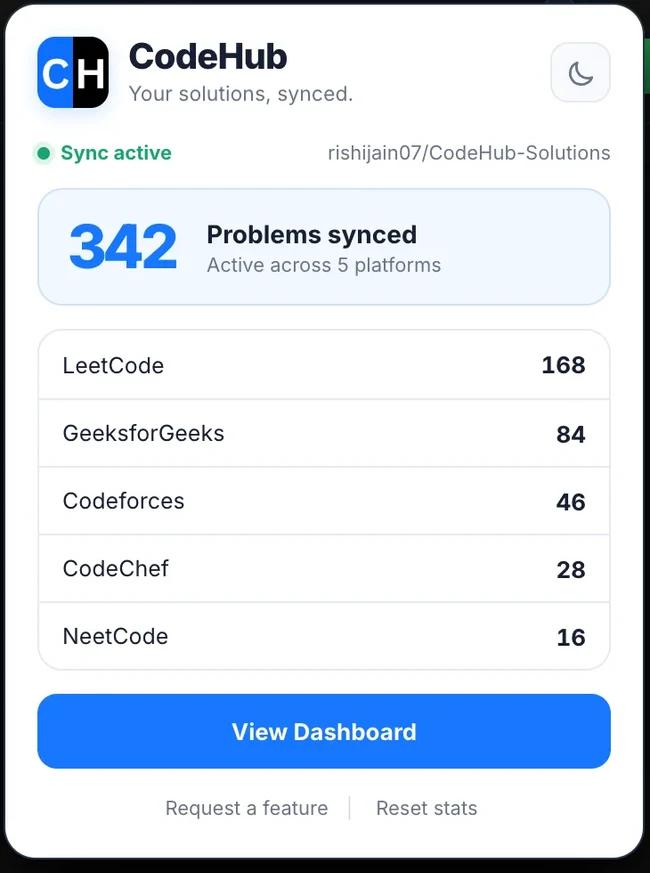
CodeHub extension popup showing accepted solutions saved to GitHub and counts by coding platform
Real extension. Your solutions, synced.
7

Your platforms.
One destination.

From LeetCode practice to Codeforces contests,
keep your accepted solutions together.

Accepted solution sync

Accepted submissions, automatically saved.

CodeHub captures your accepted solution, problem description, difficulty, tags, and performance details.

leetcode/in your repository
Visit LeetCode

From “Accepted”
to part of your story.

Set up CodeHub once. The next time you solve a problem, the bookkeeping takes care of itself.

01

Connect once.

Install CodeHub and authorize it with GitHub Device Flow. Your password stays on GitHub.

Authenticate with GitHub
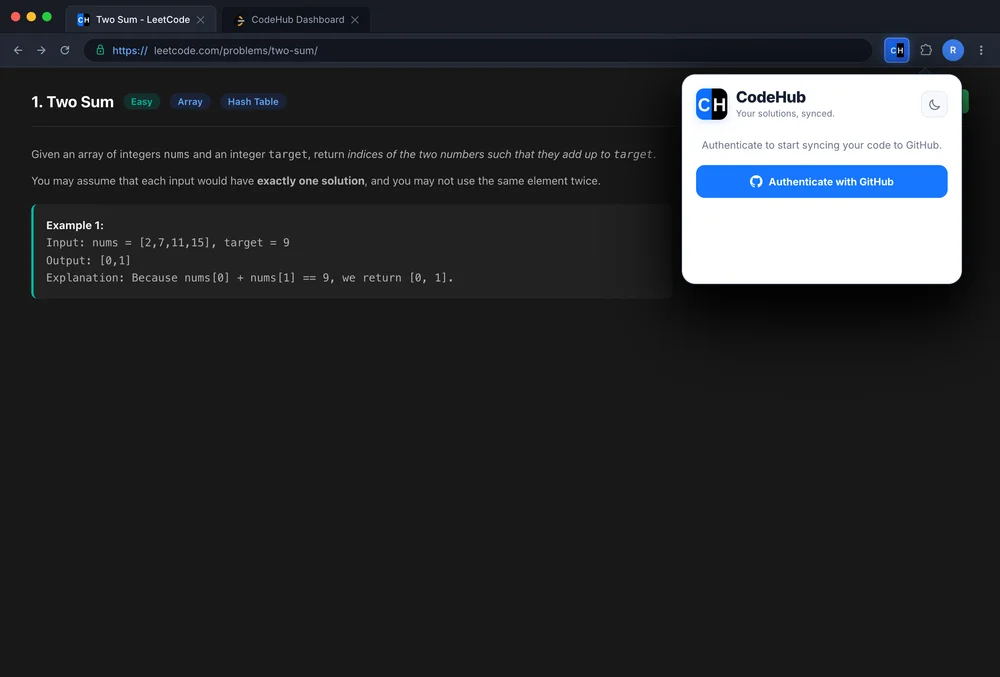
Real CodeHub extension authentication screen with GitHub device authorization
02

Make it yours.

Choose a public or private repository. Add your Codeforces handle for background sync.

Choose your repository
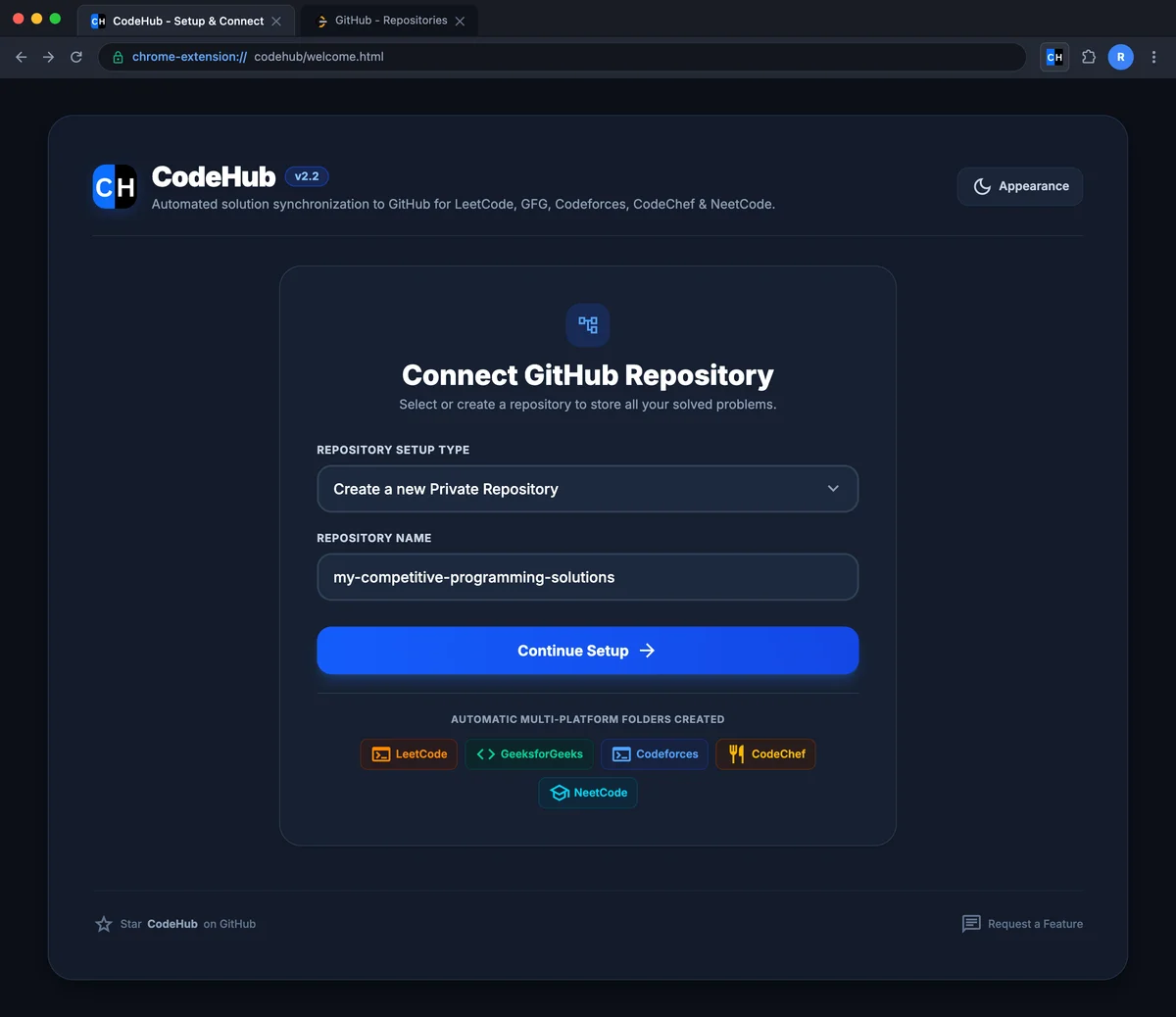
Real CodeHub welcome screen for choosing a GitHub solutions repository
03

Keep solving.

Accepted code, problem READMEs, and statistics go straight to your GitHub repository.

Build your solution library
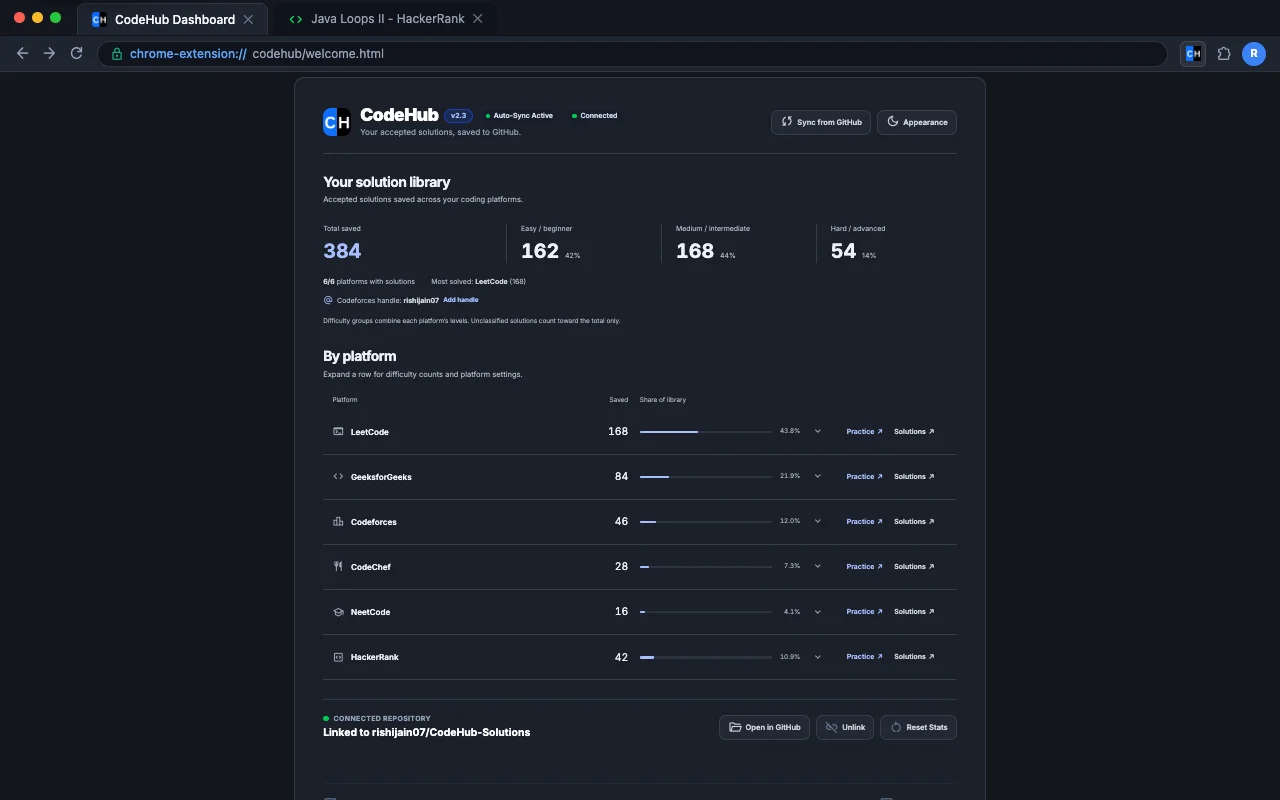
Real CodeHub dashboard with a cross-platform solution library and difficulty breakdown

Practice adds up.
Now you can see it.

An organized solution library, useful problem documentation, and a clear view of your progress across platforms.

CodeHub dashboard showing a real example solution library, difficulty totals, platform statistics, and a linked GitHub repository
Your solution library, inside CodeHub. Screenshot shows example progress.

Context comes with the code.

Generated READMEs keep problem descriptions, tags, and difficulty alongside your solution.

A place for every platform.

Platform folders and problem directories keep your repository ready to revisit.

History that stays yours.

New submissions become commits. Your earlier work stays in Git history.

Your code takes
the direct route.

Your browser talks directly to GitHub and the coding platforms. No CodeHub server. No hosted copy of your solutions.

Read the privacy policy

Your browserCodeHub extension
Your repositoryPublic or private

You choose the destination.

Your password stays with GitHub. Authorize through GitHub Device Flow. Your token is stored in extension storage.

Your code goes to the repo you select. Code360 checks use your existing platform session and temporary in-tab tracking.

Good questions.
Straight answers.

Something else on your mind?
Ask on GitHub

CodeHub supports LeetCode, GeeksforGeeks, Codeforces, CodeChef, NeetCode, public HackerRank challenges, and Code360 (Coding Ninjas). All seven feed into the repository you choose.

Yes. You can choose a public or private repository. GitHub authentication requests the repository permissions needed to commit your solutions. You can revoke access in your GitHub settings.

CodeHub keeps problems in their own directories. Later submissions become new commits, so earlier versions remain in your Git history.

Add your Codeforces handle in the extension. CodeHub periodically checks the official public Codeforces API for accepted contest and practice submissions.

Public Practice and Prepare challenges, plus anonymously accessible public contest challenges. Fullscreen challenge pages are supported. Hiring assessments, tests, and interview pages are excluded. HackerRank editor access on Firefox requires Firefox 128 or later.

CodeHub captures submitted code on supported Code360 and Coding Ninjas problem pages, confirms acceptance through the platform API using your active session, and saves the solution, README, and statistics under codingninjas/.

CodeHub is free to install from the Chrome Web Store. Accepted code and problem documentation go to your selected GitHub repository. CodeHub has no intermediary server or hosted database. The GitHub token stays in extension storage and is used with the GitHub API.

Less copying. More coding.

Make your next
solve a commit.

Add to ChromeFree to install. Public and private repositories.